Yes, we recommend you put your media files into folders to keep your media section organised.
In the 'media' section of the CMS you can create folders and move items as required.
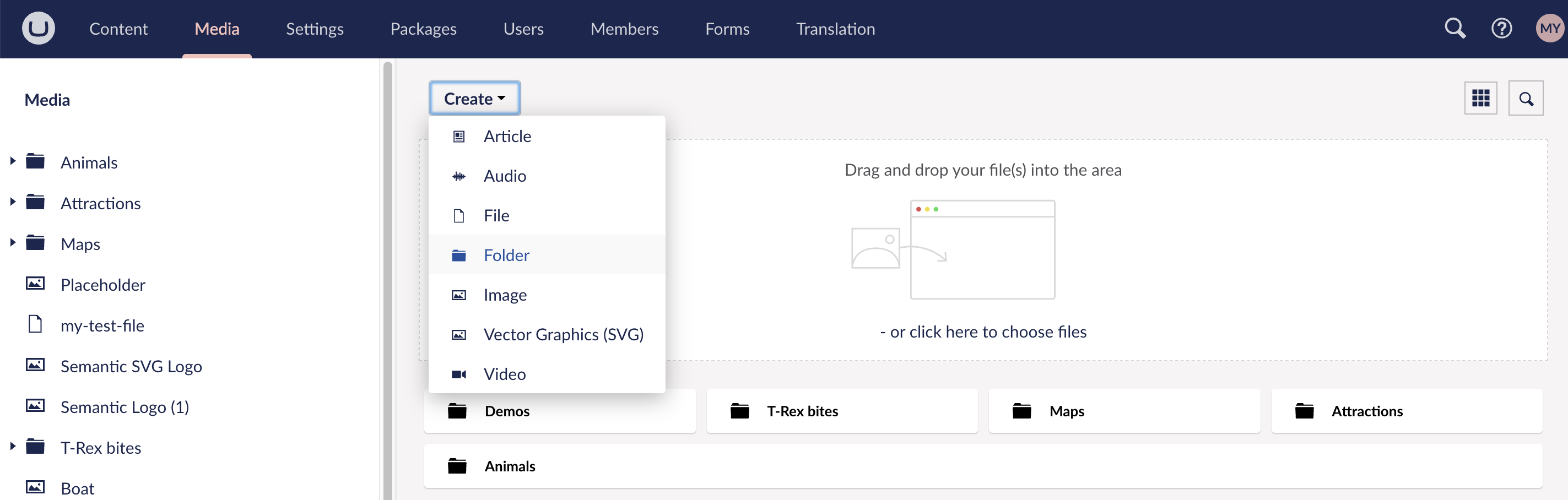
1. Click 'create' and then select 'folder':
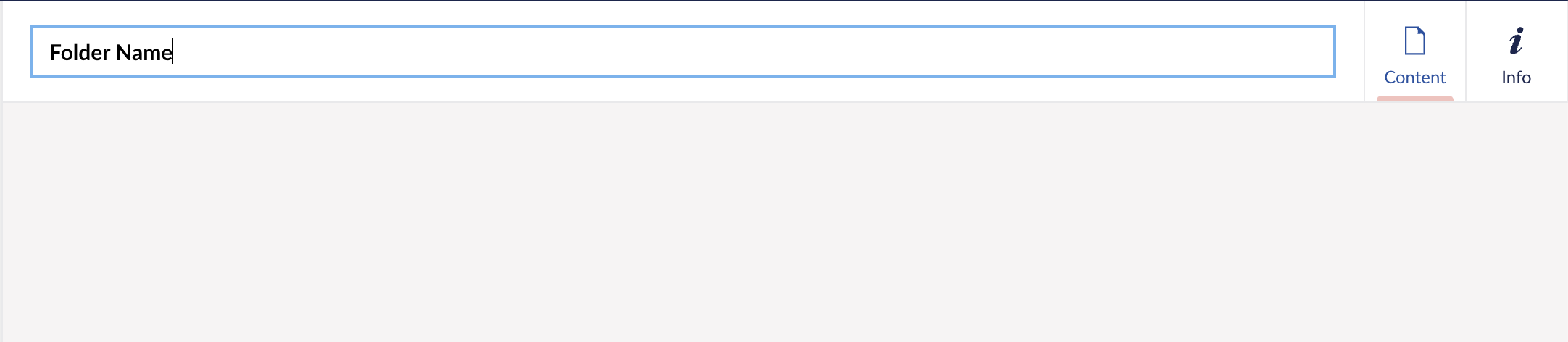
2. Give your folder a name:
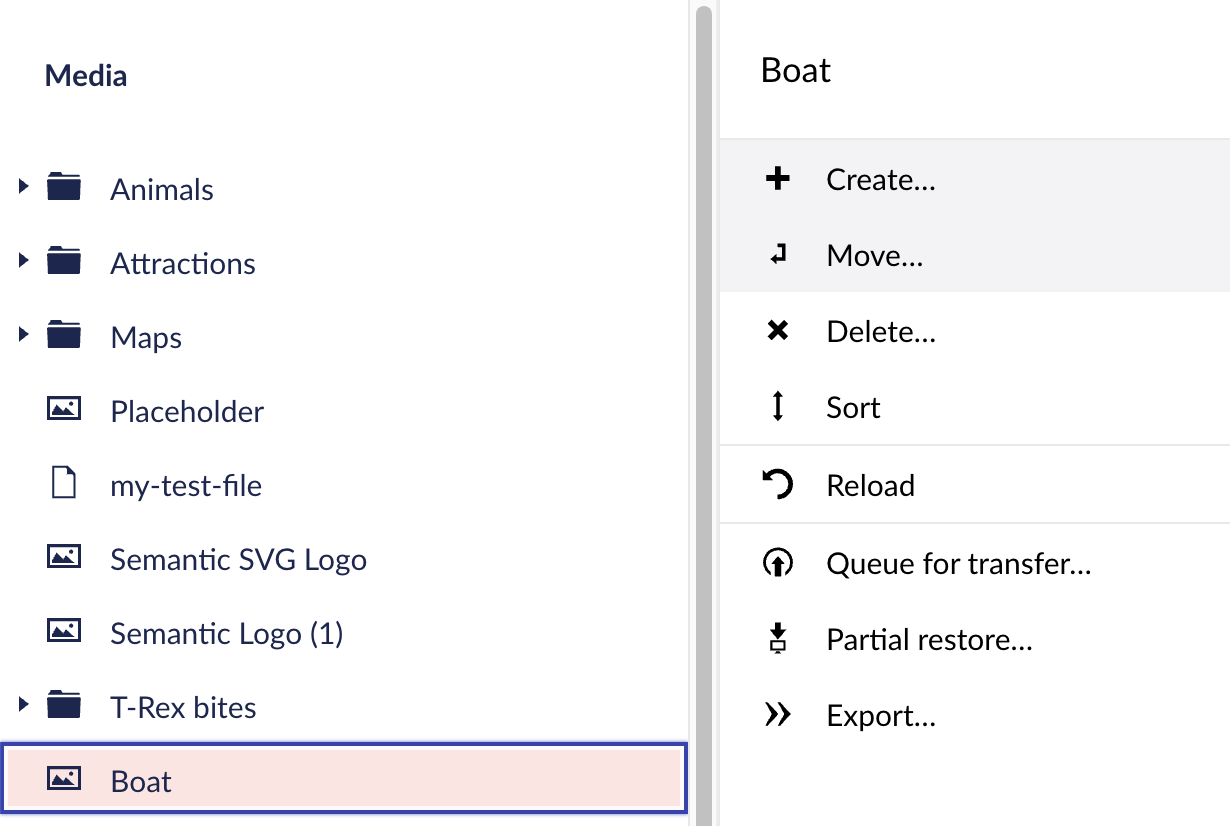
3. Select the file you want to move in the content tree (left hand menu) and right click. You'll be presented with options, one of them being 'move':
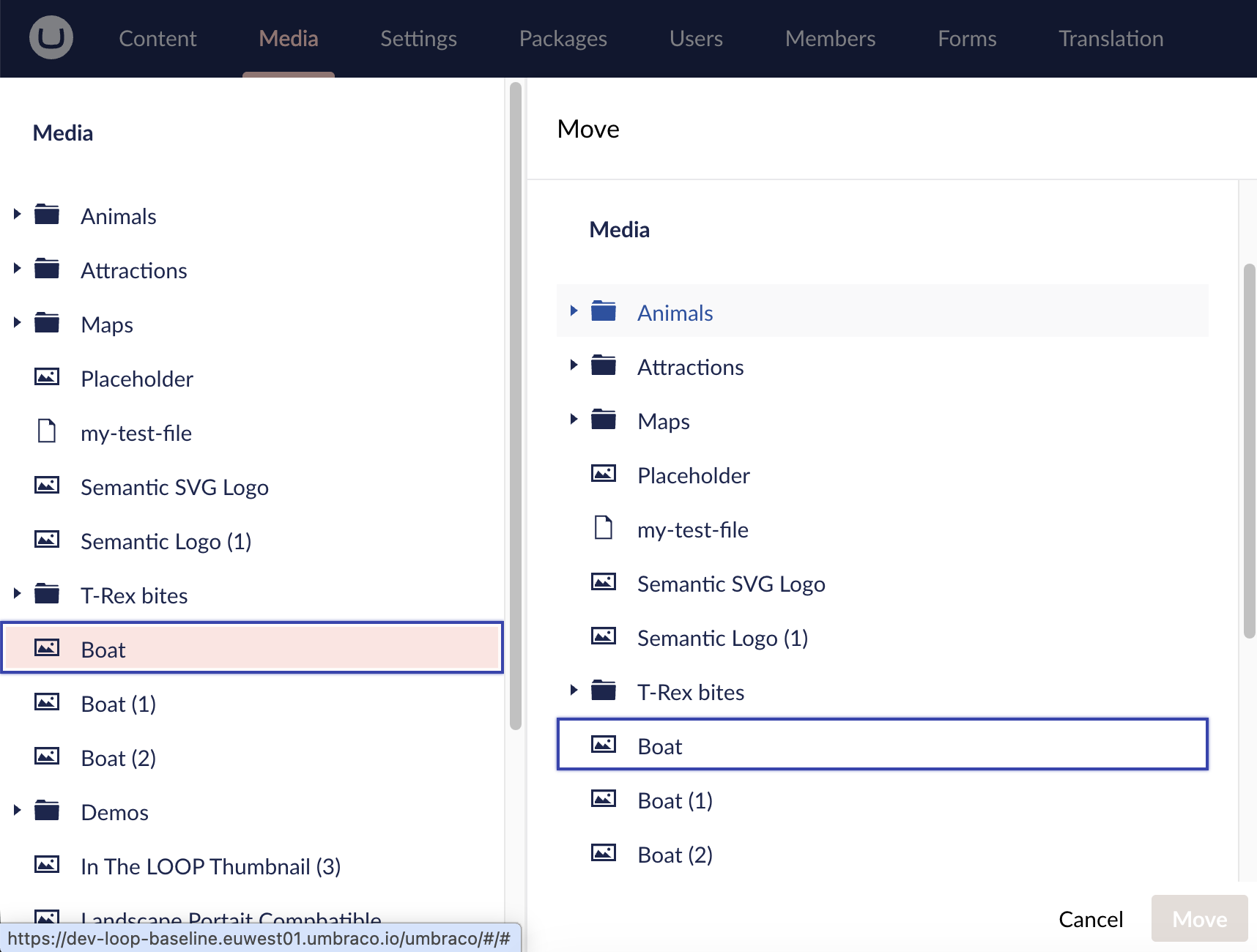
4. Select the folder you would like to move the file to and select 'move':
Was this article helpful?
That’s Great!
Thank you for your feedback
Sorry! We couldn't be helpful
Thank you for your feedback
Feedback sent
We appreciate your effort and will try to fix the article