When you first login
You'll be greeted with the main Umbraco backend. Umbraco is the scalable, friendly Content Management System that we have built on top of to power LOOP. You'll see the main top bar, the content tree, and overall Getting Started / Redirects settings.
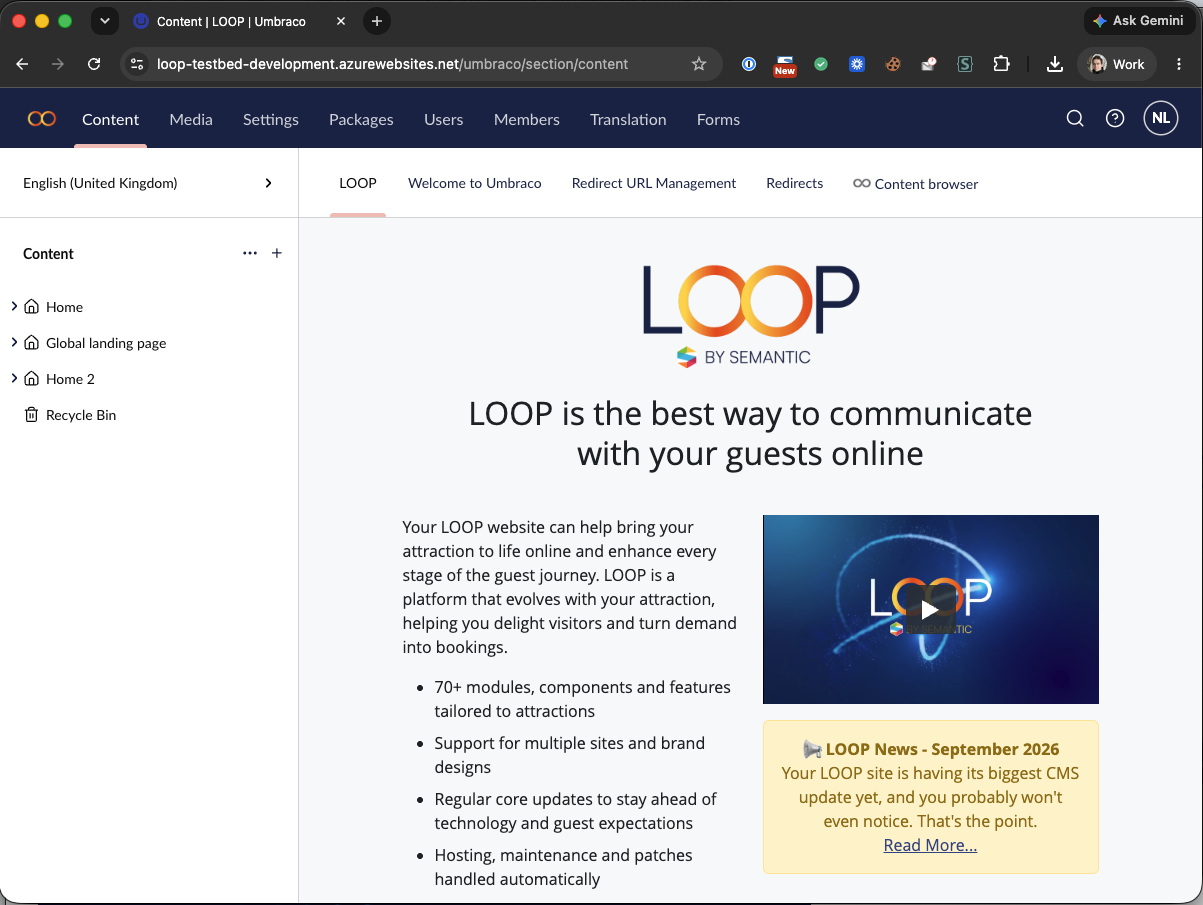
The Main Top Bar
- Content: Most of your updates will be done here. Covers sitewide settings, page structure, standard and special page types, and data repositories like FAQs or Reviews.
- Media: Arrange images, downloads or documents here. Use the folder structure to keep things organised and name files accurately so alt-text pulls through correctly.
- Users: Set up, update or disable CMS users. Assign different roles or restrict access to specific sections.
- Forms: Set up new forms and capture data into the CMS, or push data to other services with confirmation email workflows.
The Content Tree
The content tree on the left is where all settings, pages and special listings are organised. Items within the Content Tree are called Nodes. There are many different Node types for key functionality — Homepages, Settings, Filter Listings, Canonical Pages, News, Events, FAQs, Open Calendars and more.
Currently, the structure of the pages in the CMS reflects the navigation structure of the website. For example, the top 5 pages underneath the homepage reflect the primary navigation items. The URL of the page indicates where the page can be found in the CMS.
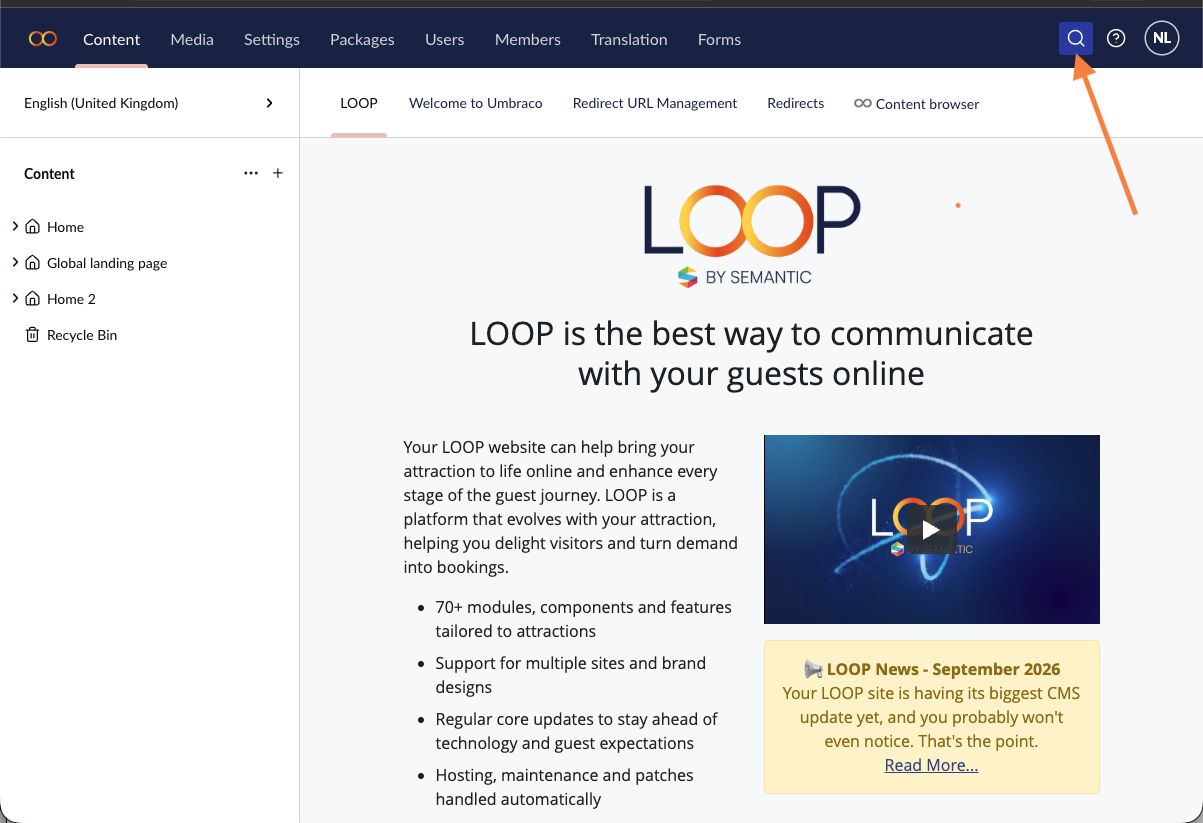
To find a page: open the relevant section by clicking the arrow to the left of the icon, then click the page. Alternatively, use the in-built search using the search icon at the top right of the screen.

Searching the CMS
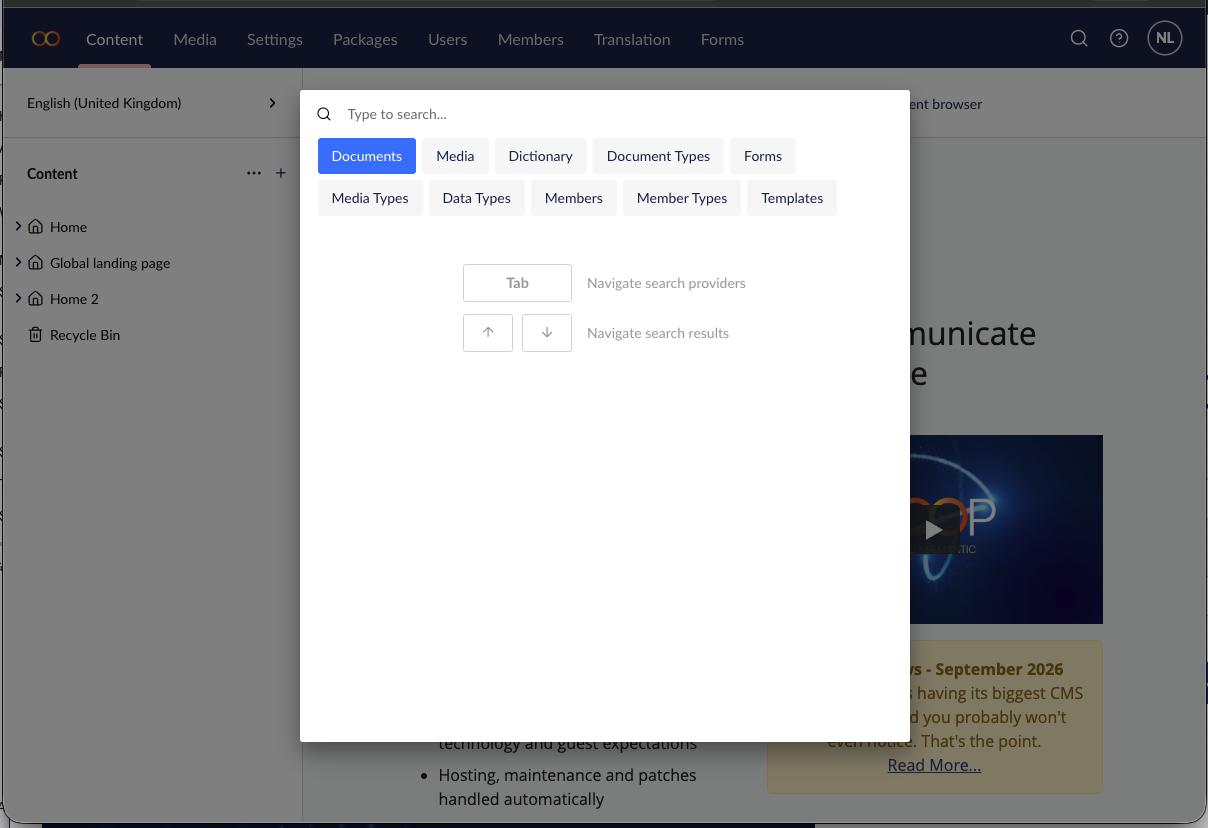
Name pages and files consistently so they show up in the CMS Search Function. Access it using the Search Icon from the top right of the CMS — it returns matching nodes and media items, making it a useful way to find things if you're not sure exactly where they are.
Was this article helpful?
That’s Great!
Thank you for your feedback
Sorry! We couldn't be helpful
Thank you for your feedback
Feedback sent
We appreciate your effort and will try to fix the article